With the evolution of television technology, smart TVs have quickly become a staple in modern households, offering a seamless integration of internet streaming services and broadcasting capabilities. However, one common question for new owners remains: do you actually need a TV aerial to set up and enjoy your viewing experience?
This comprehensive guide will delve into whether a TV aerial is necessary for your smart TV, exploring alternatives and setup options to help you make an informed decision, ensuring that you maximize your television’s potential, whether you’re accessing online content or traditional broadcasts.
Brief Overview
Smart TVs revolutionize home entertainment by integrating internet connectivity with traditional broadcasting, offering access to a wide array of streaming services without needing a TV aerial. While streaming platforms like Netflix and Hulu reduce reliance on aerials, a TV aerial might still be necessary for local channels and terrestrial signals, especially if internet connectivity is unreliable.
Setting up a smart TV involves connecting to the internet and accessing built-in apps, with professional aerial installation enhancing signal quality if needed. By assessing your viewing needs, you can optimize your smart TV experience, balancing traditional broadcasts with digital streaming.
Key Highlights
- Smart TVs integrate internet streaming and traditional broadcasts, requiring an aerial only for local channels.
- Streaming services, such as Netflix and Amazon Prime, offer extensive content without needing a TV aerial.
- Aerials are essential for accessing free terrestrial broadcasts and ensuring stable signal in low-internet areas.
- Proper smart TV setup involves positioning, internet connection, and possibly software updates for smooth operation.
- Professional aerial installations can improve signal quality, especially if local broadcasts are a priority.
Understanding Smart TVs: A Basic Overview
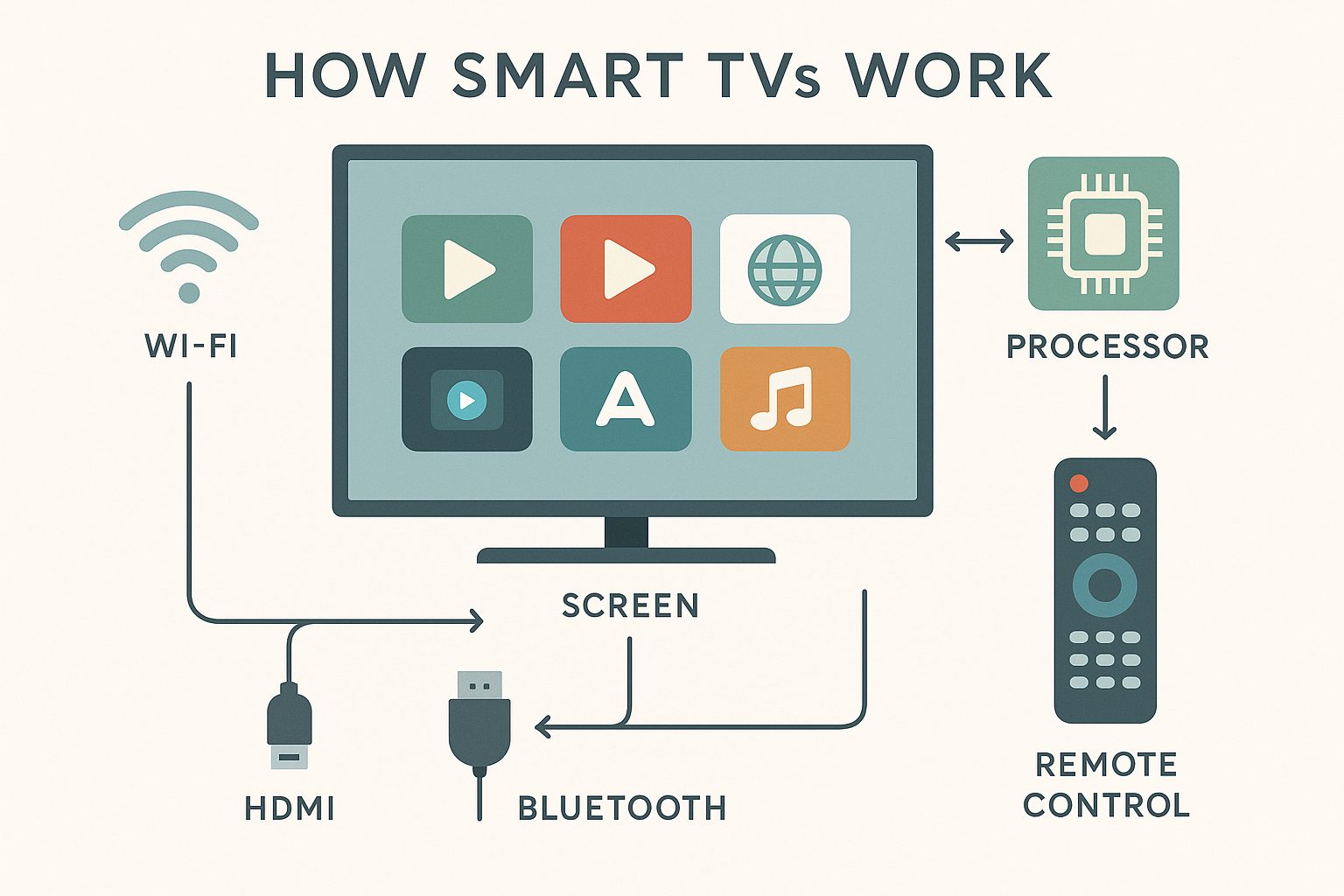
Smart TVs have become a staple in the modern home, transforming how we consume entertainment. They integrate traditional television features with advanced functions, thanks to built-in internet connectivity. By understanding what makes these TVs “smart,” you can better determine your needs and whether an aerial is necessary.
This section explores the defining characteristics of smart TVs, focusing on their connectivity and internet capabilities that distinguish them from standard TVs. Diving into these features will clarify how you can maximize their potential and whether additional equipment like an aerial is required to enhance your viewing experience.
What Makes a TV Smart?
A smart TV differs from standard televisions through its capability to connect to the internet and run entertainment apps. This connectivity transforms the device into more than a screen for broadcast television, integrating an array of multimedia functions accessible in today’s digital age. From streaming services to online browsers, the versatility that comes with a smart TV is unparalleled. Powered by sophisticated software, often referred to as the TV’s operating system, it offers a seamless interactive experience.
This interactivity means that with a smart TV, you don’t need additional devices for streaming, you have everything at your fingertips. One of the biggest advantages of a smart TV is its ability to update applications automatically, ensuring you’re always equipped with the latest features. Regular updates, facilitated by the smart TV’s internet capability, also enhance security and performance. It’s important to note that while an aerial isn’t essential for accessing online content through platforms like Netflix and YouTube, it might still be necessary for traditional channels.
The smart capabilities often include voice recognition functions, allowing you to navigate easily without a remote control, by simply speaking to your TV. Investing in a smart TV means you’re choosing a device that is future-ready, as it can adapt through updates. This adaptability ensures that you’re not only enjoying today’s technology but tomorrow’s innovations as well.
The Role of an Internet Connection
The internet connection is the backbone of a smart TV, enabling its “smart” functionality. Without it, a smart TV operates just like a traditional television, missing out on the key features that justify its name. The built-in internet capabilities allow access to a myriad of streaming platforms, providing endless entertainment options that cable or aerial services sometimes cannot match. With a steady internet connection, a smart TV acts as a comprehensive entertainment hub. It lets you stream high-definition movies, listen to online music, and even play games directly on your TV.
The convenience of downloading apps like Netflix, Hulu, and Amazon Prime Video stems directly from this connection. A fast internet connection ensures smooth playback without buffering, essential for an enjoyable viewing experience. When configured correctly, your TV can connect to your home network wirelessly, making setup easier and less cluttered. Unlike traditional TVs that depend heavily on an aerial for TV reception, smart TVs can pivot away from this dependency, although local channels might still require one.
Having an internet connection means you’re also prepared for future updates, which can unlock new features or improve your TV’s performance over time. However, to fully capitalize on these capabilities, ensure your network is secure and stable to prevent any disruption. Lastly, the internet connectivity supports features like screen mirroring, where you can display content from other smart devices onto your TV. This paves the way for a truly integrated smart home experience.
Do You Need an Aerial for Your Smart TV?
Exploring whether an aerial is needed for your smart TV hinges on understanding the capabilities of streaming services and when traditional broadcast signals are necessary. Smart TVs thrive on internet connectivity for streaming content, giving access to a myriad of channels without the need for a traditional TV aerial.
However, in certain scenarios, an aerial connection might still be required to access terrestrial signals and a broader range of channels. Let’s uncover the advantages of streaming services alongside circumstances where conventional aerial installations play a role.
Streaming Services and Their Advantages
Streaming services have revolutionized how we consume entertainment, minimizing the reliance on traditional TV aerials. Platforms like Netflix, Amazon Prime, and Hulu offer a vast library of content, available anytime through your smart TV’s built-in internet features. These services provide access to exclusive shows, movies, and even live events, all without the necessity of an aerial connection. With smart TVs, the emphasis shifts towards robust internet connectivity to ensure seamless streaming without buffering interruptions, making them a popular choice.
The flexibility afforded by _streaming services_ extends beyond just content variety. They allow users to watch what they want, when they want, freeing viewers from the rigid schedules of traditional broadcasts. This shift towards on-demand viewing is a significant advantage, ensuring maximum control over your entertainment. It’s also worth noting that many streaming platforms offer different subscription tiers, catering to varied content needs and budgets, further enhancing their accessibility.
Moreover, smart TVs equipped with advanced features, such as voice control and app integration, simplify the viewer’s experience, making navigating these services easier than ever. While aerials have dominated TV setup historically, the advent of streaming services invites users to rethink their requirements. By focusing on a reliable internet connection, you embrace a future-ready entertainment system that aligns with evolving consumption patterns, fostering an environment where creativity and convenience converge.
A reliable internet connection enhances the streaming experience on smart TVs in multiple ways:
- Ensures smooth playback with no interruptions or buffering, enhancing viewing pleasure.
- Supports streaming in high-definition and 4K, offering superior picture quality.
- Allows for multiple device connections simultaneously without compromising speed.
- Enables quick access to a wider range of streaming platforms and content libraries.
- Facilitates seamless software updates, keeping smart TV applications current.
- Improves the performance of real-time features like live sports and events.
Thus, a strong internet connection is vital for an optimal smart TV streaming experience.
When a TV Aerial Might Be Necessary
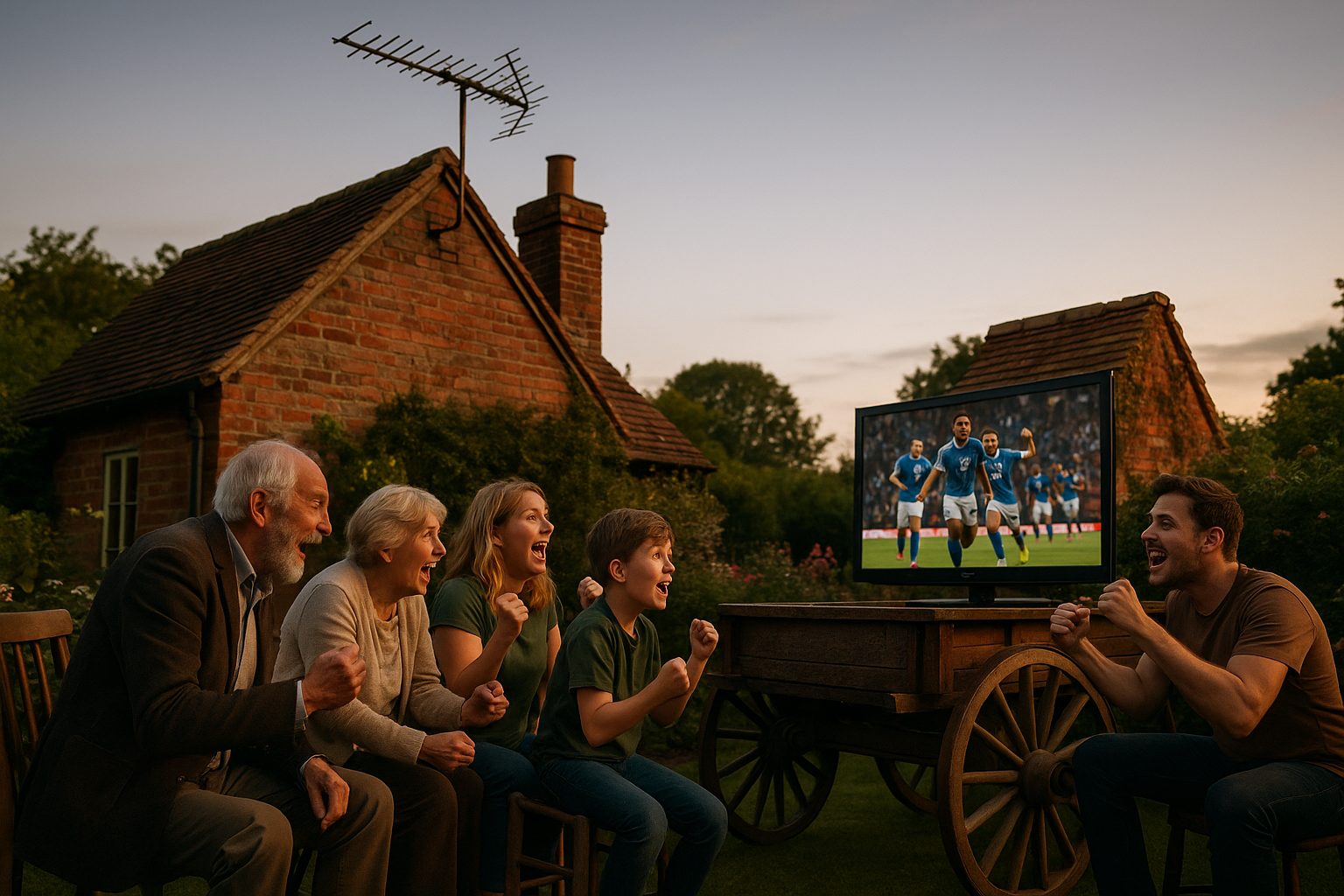
Despite the numerous benefits of streaming, there are instances when a TV aerial is still essential. If you rely on broadcast signals for local television content or want free access to terrestrial signals through services like Freeview, a TV aerial becomes indispensable. These aerial connections ensure you receive all available channels without additional subscription fees, making it an economically sound choice for accessing a variety of public broadcasts.
In regions where internet connectivity may be less reliable, traditional TV aerial installations provide a dependable alternative. An aerial can deliver a stable signal, essential for uninterrupted viewing of local channels and special broadcasts. Moreover, being able to watch these without relying on internet speed or bandwidth is a significant advantage, especially in areas where connectivity fluctuates. For individuals who enjoy live events, like sports or regional news, broadcast channels often deliver these in real-time, providing a sense of immediacy that some streaming services lack.
Thus, investing in a TV aerial could enhance your viewing experience by broadening the scope of content accessible without compromising on quality. This dual setup, utilizing both streaming services and a TV aerial, allows you to capitalize on the strengths of each, creating a versatile viewing environment. It ensures you’re prepared for varying needs, whether it’s accessing specific broadcasts or enjoying global content libraries, making it a suitable strategy for a well-rounded entertainment system.
Setting Up Your Smart TV
Getting your smart TV connected is pivotal to accessing a world of entertainment. Whether you’re keen on streaming services or utilizing built-in internet features, understanding the setup process can enhance your viewing experience. We’ll explore the essential steps for a smooth setup and delve into how to connect to your TV’s built-in internet capabilities, ensuring you maximize its smart features effortlessly.
With the right approach, you can seamlessly integrate internet connectivity and access the broad array of content and services available through modern smart TVs. Let’s guide you through these fundamental processes.
| Step/Consideration | Details | Advantages |
|---|---|---|
| Unpack and Position | Carefully remove the TV from the box and place it on a stable surface or mount it on the wall as per preference. | Ensures the TV is set up safely and optimally for viewing experience. |
| Power Connection | Connect the power cable to a reliable power outlet. | Enables the TV to function without interruptions due to power issues. |
| Network Setup | Access network settings, and connect to your Wi-Fi or wired internet connection. | Allows streaming services, app updates, and internet browsing on the TV. |
| Sign in to Accounts | Log in to your streaming service accounts or create new ones as needed. | Accesses personalized content and recommendations. |
| Software Updates | Check and install any available software updates to ensure the latest features. | Improves functionality, security, and introduces new features. |
| App Installation | Install desired apps from the TV’s app store. | Expands entertainment options with access to various content platforms. |
| Calibration and Settings Adjustment | Adjust the picture, sound, and other settings for optimal performance. | Customizes the viewing experience to match personal preferences. |
This table demonstrates the streamlined process of setting up a smart TV, outlining both technical steps and the advantages of harnessing built-in internet features to optimize your entertainment experience.
Steps for a Smooth Smart TV Setup
Setting up your new smart TV doesn’t have to be daunting; with a structured approach, you can get it up and running within no time. First, ensure your TV is positioned correctly with access to both power and an internet connection. This is crucial for tapping into the smart features your TV offers. Once in place, proceed to plug in your TV and power it up. It will guide you through a series of on-screen instructions. Be prepared to select your language, time zone, and other preferences. Now comes a critical step: establishing internet connectivity.
Most smart TVs offer Wi-Fi and Ethernet options. For a robust connection, device firmware updates, and uninterrupted streaming services, a wired connection might be optimal. However, Wi-Fi provides flexibility and less cable clutter, making it a popular choice. Having chosen your preferred method, follow the on-screen prompts to get your smart TV connected to the internet. This step ensures access to updates and the latest built-in internet features. Some setups might also require a software update at this juncture to ensure your TV’s operating system is current.
This keeps your device at peak performance and security. Lastly, consider connecting any additional devices, like soundbars or gaming consoles, to enhance your audio-visual experience further.
Connecting to Built-in Internet Features
Now that your smart TV setup is complete, it’s time to leverage those built-in internet features. By connecting your TV to the internet, you unlock a plethora of streaming services and apps, transforming your TV into a powerful entertainment hub. Start by exploring the pre-installed app store or dashboard. Here, you can download popular apps like Netflix, Amazon Prime Video, or Disney+, which provide access to a diverse range of content. These streaming services usually require an account, so have your login details ready.
If your TV supports voice commands, use them to navigate effortlessly without having to fumble with the remote. Next, customize your home screen to feature the apps you use the most for quicker access. Many smart TVs offer personalized recommendations based on your viewing habits, enhancing the user experience by curating content suited to your preferences. Moreover, investigate parental controls if you have young viewers; many smart TVs offer settings that allow you to restrict access to certain types of content. This thoughtful integration of safeguards ensures a balanced access to both family-friendly and wide-ranging digital content.
As you enjoy streaming, remember that a fast internet connection can make or break your experience, so consider upgrading your broadband plan if buffering or slow load times occur. This connectivity also supports over-the-air updates, ensuring your TV’s software remains fresh and functional. By understanding and utilizing these built-in features, you make the most of your TV’s smart capabilities, setting the stage for an optimal and dynamic viewing experience.
| Setup Step | Description | Benefits |
|---|---|---|
| Unpacking and Placement | Carefully remove the TV from packaging and position it on a stable surface near a power outlet. | Prevents damage to the TV and ensures it is safely installed in an ideal location. |
| Power Connection | Plug the power cable into a wall socket and connect it to the TV. | Allows the TV to power on and function. |
| Internet Connectivity | Connect the TV to Wi-Fi or use an Ethernet cable for a wired connection. | Enables access to streaming services and online features. |
| Initial Setup Wizard | Follow on-screen prompts to configure language, location, and account settings. | Customizes options and connects the TV to necessary services. |
| App Installation | Download essential streaming and utility apps from the app store. | Expands content options and functionality of the TV. |
This table offers a structured overview of the smart TV setup and connectivity features, highlighting the benefits of each step in ensuring an optimal entertainment experience.
Professional Aerial Installation: Is It Needed?
In today’s era of streaming and smart TVs, the need for professional aerial installation may not be apparent at first glance. Yet, exploring whether you need an aerial for a smart TV requires an understanding of both internet capabilities and traditional broadcast signals. If you’re satisfied with internet streaming services like Netflix, you might initially feel that aerials aren’t essential.
However, consider the value of a professional installation to ensure optimal signal quality, especially if you wish to access local channels or free-to-air services like Freeview. Aerials offer a stable alternative when internet connectivity fails or fluctuates, particularly in remote areas.
The choice of a professional aerial installation also comes into play when considering the reliability and longevity of your setup. Professionals provide precise installation, which can significantly improve signal reception, reducing the risk of picture breakup or poor quality. This service might seem redundant for digital-savvy users, but ensuring seamless TV functionality without internet interruptions offers peace of mind. Professional installers can also tailor advice to your specific location, assessing environmental factors that might affect signal strength, a consideration many overlook.
Ultimately, the decision to opt for professional installation hinges on your content consumption needs and location. If accessing a comprehensive array of channels is a priority or if internet speeds are unreliable, installing aerials ensures uninterrupted access to both streaming and traditional network signals. For new smart TV owners, assessing these options could empower a more versatile entertainment experience.
Should you decide on professional help, remember that investing in expertise could enhance both the performance and life expectancy of your TV setup. Consider booking a consultation today to explore your options.
Equipping your smart TV with or without an aerial unlocks different world of television viewing tailored to your preferences. While aerials ensure access to traditional broadcasts with superior signal quality, leveraging internet capabilities invites streaming versatility. As you embark on this digital journey, assessing your entertainment needs and available resources will streamline the setup process.
Whether you choose to immerse yourself in live TV content or explore endless streaming options, understanding the benefits and functionalities ensures a seamless viewing experience. For further guidance, consider downloading our detailed setup guide designed to elevate your smart TV experience.
Frequently Asked Questions
Do I need a TV aerial for a smart TV?
A TV aerial is not strictly necessary for a smart TV, but it may be required for accessing local channels and terrestrial signals. For streaming services like Netflix and Amazon Prime, an aerial is not needed.
Can smart TVs function without an internet connection?
Without internet connectivity, a smart TV functions like a traditional television, lacking access to built-in apps and streaming services, which are core to its “smart” capabilities.
What role does internet connectivity play in smart TVs?
Internet connectivity is crucial for smart TVs to access streaming platforms, run entertainment apps, and receive regular updates to improve functionality and security.
Why would I consider professional aerial installation for my smart TV?
Professional aerial installation may enhance signal quality, making it vital if local channels and free-to-air broadcasts are a priority, especially in areas with unreliable internet.
Can streaming services completely replace traditional TV channels?
While streaming services offer extensive content, they may not replace traditional TV channels entirely, especially if you prefer free or local broadcast channels that require an aerial.